Online clock timer
A quiet brass dial that tells the actual time — with a thin arc around the rim that fills as your countdown runs.
At a glance
| Best for | Meeting rooms, kitchens, all-day desk screens — anywhere the time is wanted anyway |
| Tunables | Dial style, numerals, second hand (sweep / tick / off), glow |
| Finish sound | Two unhurried strikes on a brass bell — synthesized, no audio files |
| Fullscreen | Press F once the timer is open — built for projectors and TVs |
| Direct link | timer.cool/timer/?skin=clock&t=1500 opens it at 25 minutes |
Why the room needed a clock that also times things
The origin story of the clock skin, from the people who drew it.
Every other skin on timer.cool replaces the clock for a while: sand falls, the sun sinks, the tank drains, and when the scene is over the screen goes back to being nothing in particular. But plenty of rooms want the opposite deal. A kitchen, a studio, a meeting room: the wall there already has a clock on it, and what those rooms actually ask is “what time is it — and how long until we're done?” One dial can answer both, so the clock skin was drawn to be that dial.
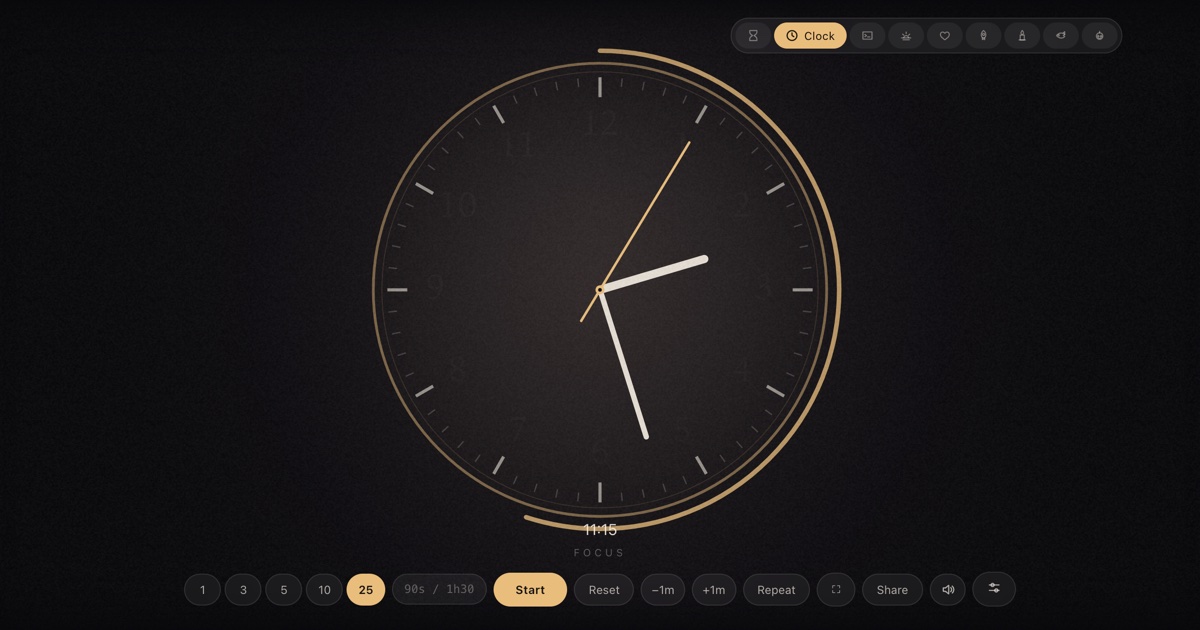
The design brief was “quiet”. The face is a deep room with a faint pool of warm light, a doubled brass bezel, sixty minute ticks with every fifth drawn deeper, and numerals set in the site's house serif. The hands sweep from the device's real clock — the second hand glides continuously rather than ticking, the way a good mantel clock does, with a short counterweight tail. When a timer runs, the only thing that changes is one thin arc drawn just outside the rim: outside, so it reads as an annotation on the day rather than a modification of the clock itself.
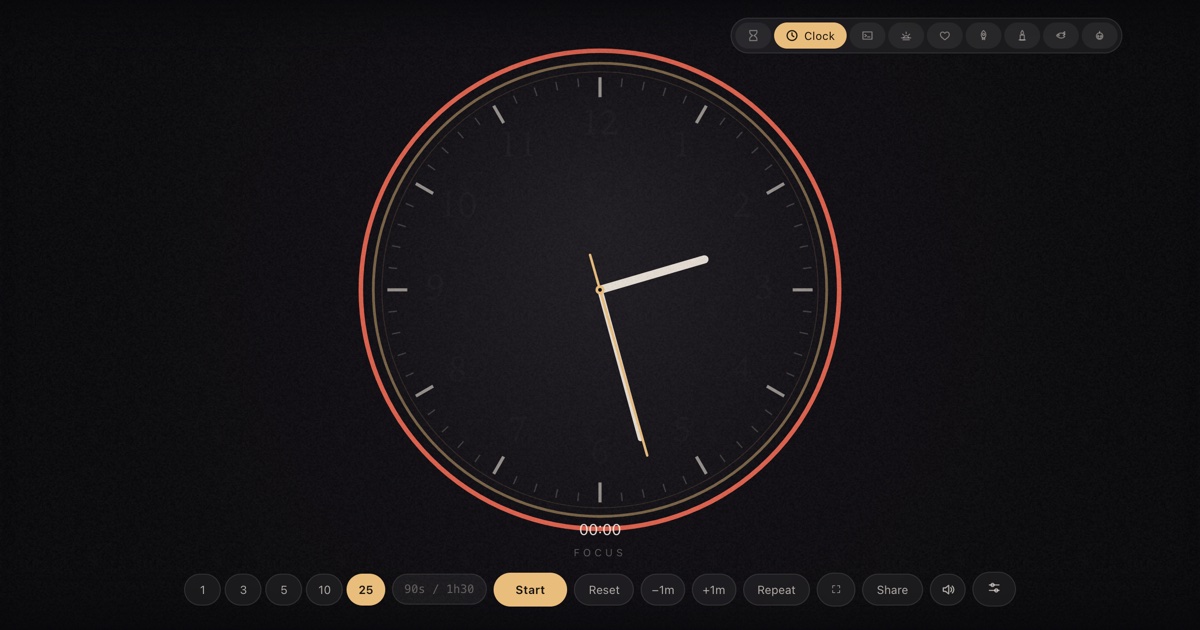
The arc earned its own rules. It fills clockwise from twelve, in brass, rounding its ends so it looks drawn by hand. It completes at exactly zero and turns red — the one loud colour the skin allows — so a meeting room can see overtime from the doorway. And because the underlying countdown is measured against the system clock rather than counted tick by tick, the arc stays true even after hours in a background tab.
The dials came from the rooms. Brass is the original. Midnight darkens everything but the hands for home cinemas and night shifts. Snow flips to pale ticks on a dark face for bright kitchens. Forest warms the brass toward green-gold for wooden rooms. If the room already has a clock, hiding the numerals leaves you with the quietest possible face — hands, ticks, and that one honest arc.
How the scene moves
- Idle. The dial simply tells the time — sweeping second hand, warm pool of light, nothing else. A wall clock, free of charge.
- Running. A soft glow begins to breathe behind the dial, and the brass progress arc fills clockwise around the rim, keeping pace with the countdown.
- The last stretch. The arc approaches twelve o'clock. The dial never panics — no flashing, no pulse — the arc simply nears its end.
- Zero. The arc completes and turns red; two unhurried bell strikes mark the moment like a mantel clock. The readout counts up
+mm:ssovertime until you reset.
Make it yours
The sliders button in the bottom control row opens Scene settings. Choices are stored in your browser and survive reloads; nothing is sent anywhere.
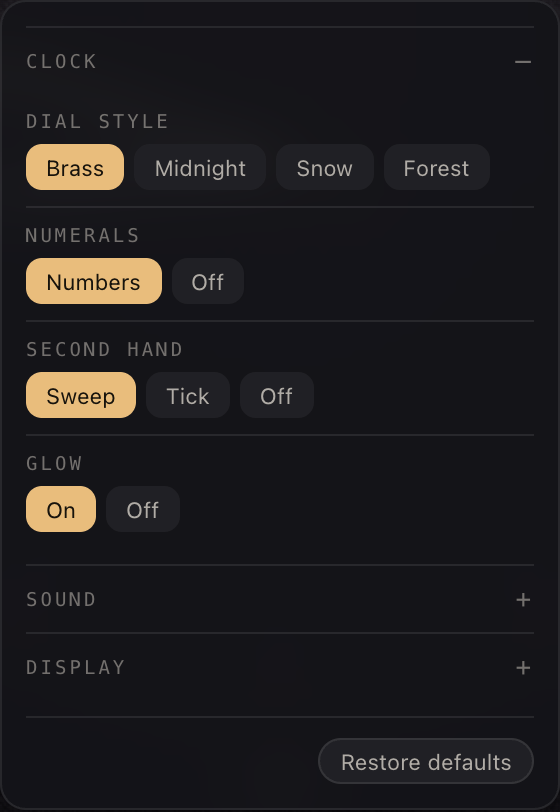
| Setting | Choices | Default |
|---|---|---|
| Dial style | Brass · Midnight · Snow · Forest | Brass |
| Numerals | Numbers · Off | Numbers |
| Second hand | Sweep · Tick · Off | Sweep |
| Glow | On · Off | On |
Two shared panels live in the same place for every skin. Sound picks the finish chime (or “match the skin”), sets the volume, and adds an optional tick for each of the last ten seconds. Display moves the countdown readout — bottom, top, centre, bottom-left or bottom-right — and recolours it: follow theme, warm white, white, gold, ice blue or coral.
Copy-paste links
| Brass dial, 25-minute timer | /?skin=clock&t=1500 |
| Midnight dial, ticking seconds, 10 min | /?skin=clock&o=clock:dial-midnight.second-tick&t=600 |
| Snow dial, no numerals, 5 min | /?skin=clock&o=clock:dial-snow.numerals-off&t=300 |
| Forest dial for a wood-panelled room | /?skin=clock&o=clock:dial-forest&t=1500 |
| …and start it running on open | append &s=1 to any link above |
The sound it makes
Zero is marked the way a mantel clock marks an hour: two unhurried strikes on a brass
bell, with a low undertone so they carry in a big room. Like everything in timer.cool,
the sound is synthesized by the browser at the moment it plays — no audio files,
nothing to download. The Sound panel can swap in a bell, digital beep, wood block or
alarm, add a tick to each of the last ten seconds, or you can mute with M.
On a projector or TV
An idle clock skin on a meeting-room TV is a wall clock; start a timer and the same
screen becomes a countdown the whole room can read. Press F and every
control disappears. While a timer runs, the page holds a wake lock so the display
does not dim mid-meeting.


The keyboard map: Space start/pause, F fullscreen, R
reset, M mute, +/− give or take a minute while
running, L repeat. Two honest limits: on an iPhone the ringer switch silences
web audio, and aggressive battery-saver modes can override the wake lock on some devices.
Need a clock without the timer? The dedicated full-screen clock adds timezones, 12/24-hour formats and a seconds toggle — same quiet face, no countdown.
Who the clock is for
Meeting rooms
The screen shows the time all day; one keypress starts a 10-minute slot, and the red arc ends the debate about overtime.
Kitchens
A wall clock that is also a 12-minute rice timer. The bell carries from across the flat.
Desks and studios
Keep the real time on a side monitor all day; the 25-minute arc is a pomodoro that never hides the clock.
Questions
Does the clock show the real time?
Yes. The dial always shows the actual local time — hour, minute and a smoothly swept second hand, read straight from the device clock — whether or not a timer is running.
How do I see the timer progress?
A thin arc just outside the rim fills clockwise as the countdown runs. When time is up, the arc completes and turns red, and the readout counts up the overtime.
Can the second hand tick instead of sweep?
Yes. Scene settings offers Sweep (default), Tick, or no second hand at all. You can also hide the numerals or switch off the ambient glow.
Is this the same as the full-screen clock page?
No — they are related but different. This clock is a timer skin: it counts down a chosen duration. timer.cool also has a dedicated full-screen clock with timezones and 12/24-hour formats at /clock/.
Is the clock timer free?
Yes. No account, no paywall, and nothing is uploaded — the dial is drawn by your own browser.
What sound does it make at zero?
Two unhurried strikes on a brass bell, like a mantel clock marking the hour. You can swap the chime or mute it in the Sound panel.