Hourglass countdown timer
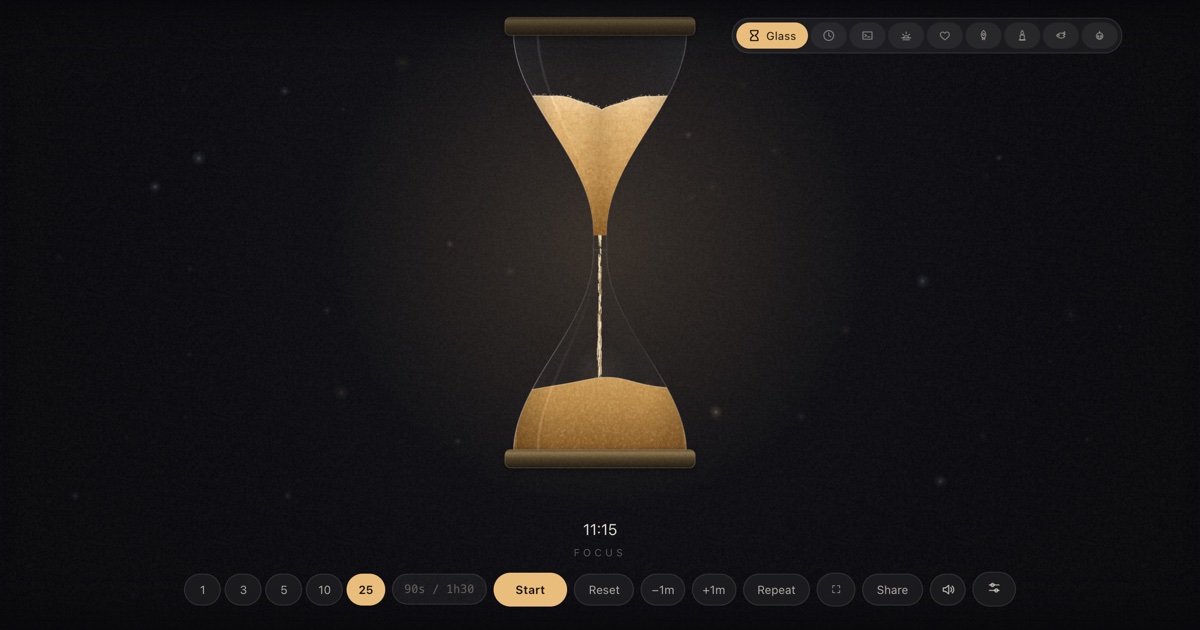
Brass, sand, and a slow fall of grain — the skin the whole site started with, and still the calmest way to watch twenty-five minutes pass.
At a glance
| Best for | Focus sessions, pomodoros, talks, meetings — anywhere calm matters |
| Tunables | Sand colour, frame, background glow, mouse parallax, hourglass size |
| Finish sound | A rising, glassy three-note chime — synthesized, no audio files |
| Fullscreen | Press F once the timer is open — built for projectors and TVs |
| Direct link | timer.cool/timer/?skin=glass&t=1500 opens it at 25 minutes |
Why the site begins with an hourglass
The origin story of the hourglass skin, from the people who drew it.
The hourglass was drawn first because it is the honest shape of a countdown. Every other skin on this site is a metaphor — a sun sinking, a candle shortening, a tank draining — but sand falling through a narrow neck is time passing, no translation needed. It set the bar every later skin had to clear: if you glance at the screen from across the room, you know how long is left without reading a number.
It also set the bar for how the sand should behave, and that took the most care of any skin. The sand in the upper bulb is not a flat shape losing height: it holds a crater that is deliberately a dish rather than a funnel, so the remaining sand reads as a band hugging the glass walls. The crater never sits dead centre — it wanders as real piles slump — and avalanches creep along its surface instead of sitting still. In the lower bulb the falling column lands with a splash, kicks up a faint dust of lit grains, and builds a mound whose crest keeps shedding loose grains down its sides.
The grains themselves are drawn as short motion streaks, because grains that fall should look like they fall, not float. A pre-rendered soft dot makes the cheap trick possible: stamping one sprite thousands of times costs far less than thousands of per-particle gradients, which is what keeps the scene smooth on a five-year-old classroom laptop.
Around the glass, the room is barely there: a near-black background, a breathing amber glow behind the bulb, and a slow dust field with three depth cues — parallax, size, and drift — that you can switch off when you want the hourglass utterly alone. Brass was the first frame choice because warm metal against warm sand photographs well on any projector; walnut and obsidian followed for wood-panelled studies and very dark home offices.
How the scene moves
- Idle. The upper bulb is full, the column holds still, and the ambient glow breathes slowly behind the glass.
- Running. The pour starts: grains streak down the neck, the crater above wanders and slumps, and the mound below climbs with a lit crest. The dust field drifts with your mouse unless parallax is off.
- The last stretch. The upper bulb thins to a wall-hugging band; the thread of sand brightens and stutters as its arch keeps collapsing, and bead clusters ride the column down.
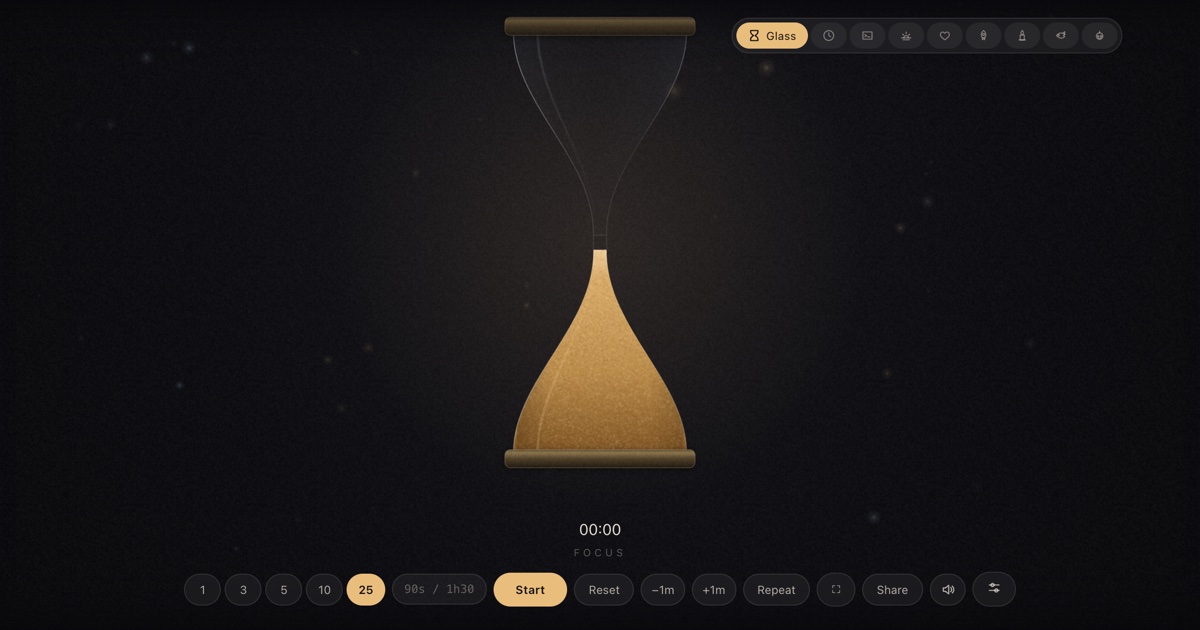
- Zero. A soft glassy chime rises as the last grains land. The readout flips to
+mm:ssovertime so overtime stays visible, and the hourglass waits, all sand below, until you reset it.
Make it yours
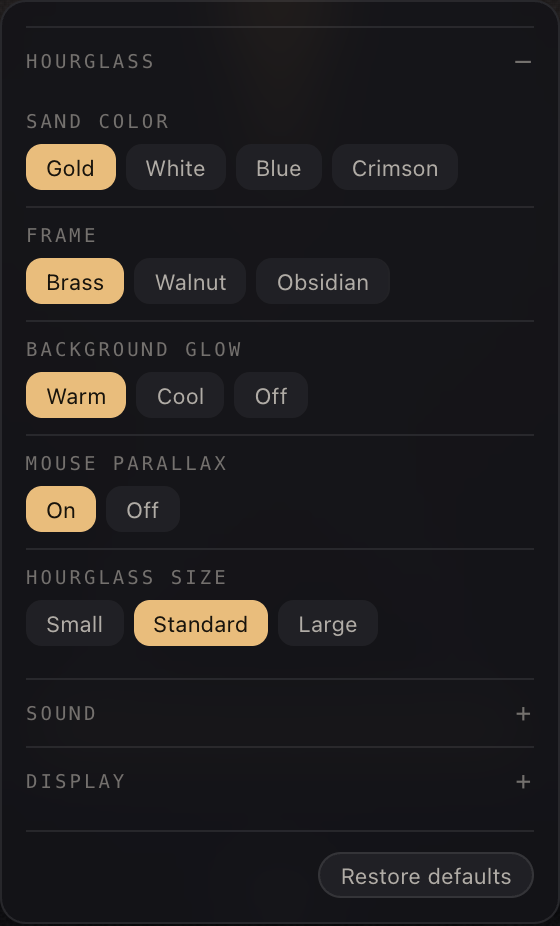
The sliders button in the bottom control row opens Scene settings. Choices are stored in your browser and survive reloads; nothing is sent anywhere.
| Setting | Choices | Default |
|---|---|---|
| Sand color | Gold · White · Blue · Crimson | Gold |
| Frame | Brass · Walnut · Obsidian | Brass |
| Background glow | Warm · Cool · Off | Warm |
| Mouse parallax | On · Off | On |
| Hourglass size | Small · Standard · Large | Standard |
Two shared panels live in the same place for every skin. Sound picks the finish chime (or “match the skin”), sets the volume, and adds an optional tick for each of the last ten seconds. Display moves the countdown readout — bottom, top, centre, bottom-left or bottom-right — and recolours it: follow theme, warm white, white, gold, ice blue or coral.
Copy-paste links
| Classic brass and gold, 25 min | /?skin=glass&t=1500 |
| Crimson sand in a walnut frame | /?skin=glass&o=glass:sand-crimson.frame-walnut&t=1500 |
| Blue sand, obsidian, no glow | /?skin=glass&o=glass:sand-blue.frame-obsidian.glow-off&t=600 |
| White sand for a bright room, 5 min | /?skin=glass&o=glass:sand-white&t=300 |
| …and start it running on open | append &s=1 to any link above |
The sound it makes
At zero, three sine tones rise through a soft glassy arpeggio — the audio twin of the
last grains coming to rest. Like everything in timer.cool, the sound is synthesized by
the browser at the moment it plays: no audio files, nothing to download. The Sound
panel can swap in a bell, digital beep, wood block or alarm, add a tick to each of the
last ten seconds, or you can mute with M.
On a projector or TV
Press F and every control disappears — brass and sand become the whole
screen, which is the point: the timer is for the room, not just for you. While a timer
runs, the page holds a wake lock so the display does not dim mid-session.


The keyboard map: Space start/pause, F fullscreen, R
reset, M mute, +/− give or take a minute while
running, L repeat. Two honest limits: on an iPhone the ringer switch silences
web audio, and aggressive battery-saver modes can override the wake lock on some devices.
Who the hourglass is for
Focus sessions
The 25 preset plus a label is a pomodoro that asks nothing of you — bookmark the link and it opens at 25:00 every time.
Talks and workshops
A full-screen hourglass ends the “how long do we have” whispers; the +1m key absorbs a question that runs long.
Meetings
Standups and demo slots run on shared time. When the sand is gone, the discussion is too — the room polices itself.
Questions
Is the sand falling tied to the real countdown?
Yes. The pour is driven by the timer's remaining time, measured against the system clock, so the sand level stays accurate even if the tab sits in the background.
What happens when the top bulb empties?
A soft chime plays and the readout switches to overtime, counting up as +mm:ss. The last of the sand settles into the mound and the scene holds until you reset.
Can I change the colour of the sand?
Yes. Scene settings offers four sands — gold, white, blue and crimson — plus three frames: brass, walnut and obsidian.
Does the hourglass react to the mouse?
A little. A dust field drifts with subtle mouse parallax, which you can switch off in scene settings along with the background glow.
Is the hourglass timer free?
Yes. No account and no paywall — open the page, pick a duration and press Start.
How do I put it on a projector?
Open the timer, press F or the fullscreen button, and the hourglass and readout become the whole screen. On a second monitor, move the browser window to that display first.