Terminal countdown timer
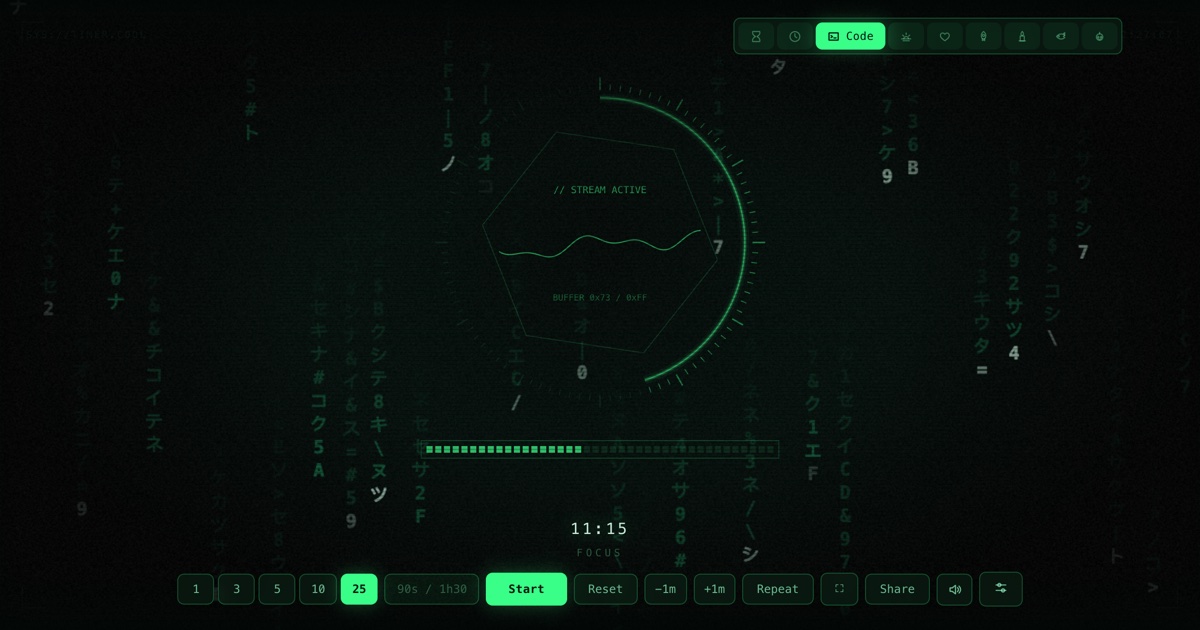
Green phosphor and a tick ring that drains with your session — the countdown for people who live in a shell.
At a glance
| Best for | Focus blocks, hackathon demos, standups, pair-programming slots |
| Tunables | Phosphor colour, scanlines, glitch frequency |
| Finish sound | A brisk four-note square-wave arpeggio — synthesized, no audio files |
| Fullscreen | Press F once the timer is open — built for projectors and TVs |
| Direct link | timer.cool/timer/?skin=code&t=1500 opens it at 25 minutes |
Why a terminal, and why it flickers
The origin story of the terminal skin, from the people who drew it.
The terminal skin came from a simple observation: the people most allergic to timers are the people who spend all day in one. A pomodoro app that looks like a consumer product feels like a toy on a developer's second monitor — but a green readout in a hex frame looks like instrumentation, and instrumentation gets left running. So the brief was a CRT that happens to count down: something you would believe was rendered by the machine itself.
The CRT tropes are all earned, not pasted on. The glyphs that rain faintly in the background are pre-rendered into a sprite atlas — katakana, hex digits, operators — because drawing text per glyph per frame is what makes fake terminals lag. A scanline pattern is laid over everything at 4-pixel intervals, darkening one row in four, the way a real tube draws. The whole screen sits under a heavy vignette so the centre readout stays legible. And every so often, briefly, the frame glitches — a half-second tear that you can tune from rare to often, or switch off for screens that are being recorded.
The centrepiece instruments were designed to be read at a glance. Around the rim runs
the tick ring: your session sliced into equal ticks that drain as time passes, so a
25-minute block reads at any distance without parsing digits. Inside, an oscilloscope
traces a waveform whose signal dies as the session runs out — the amplitude you keep
is the time you keep. Status strings stamp themselves under the readout:
// STANDBY while idle, // STREAM ACTIVE while running,
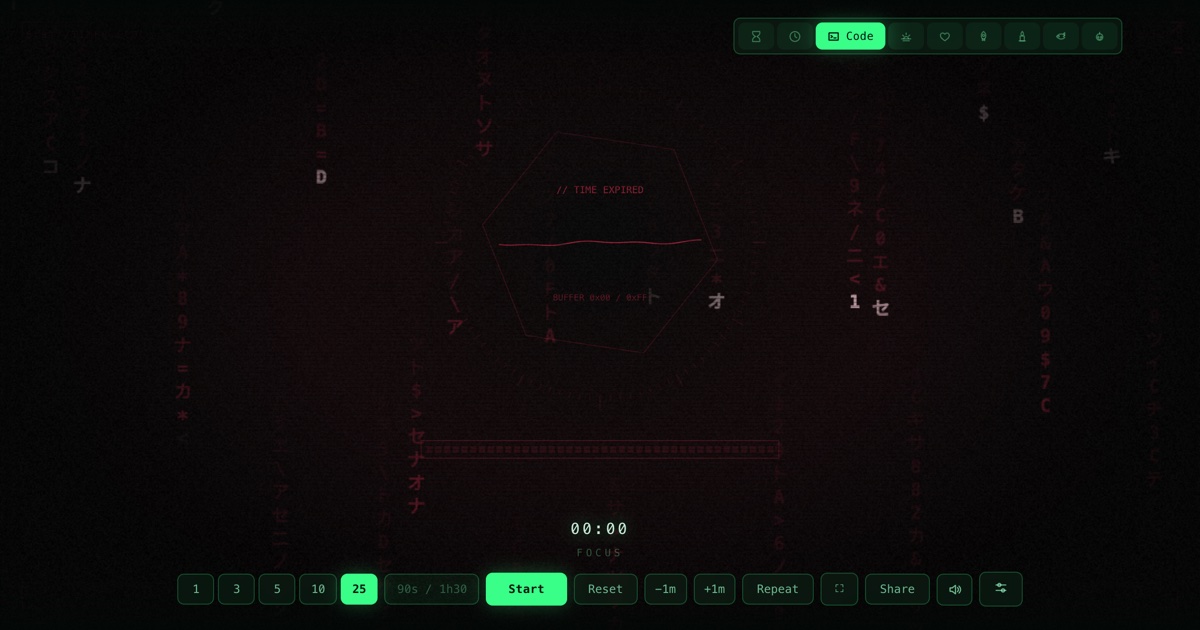
// TIME EXPIRED when the ring is gone. The hostname is a quiet
SYS://TIMER.COOL in the corner, because every fake terminal needs a host.
Green was never in doubt — P1 phosphor green is the colour the genre dreams in. But real terminals came in more colours than lore remembers: amber for the machines that wanted to be read all day, and a cold ice-blue for anyone whose monitor never left 1984. They are one click away in scene settings.
How the scene moves
- Idle. Glyph rain falls slowly, the hex frame rotates, and the status line reads
// STANDBY. The oscilloscope idles. - Running. The tick ring drains slice by slice with the countdown, the oscilloscope's signal dies proportionally, and the status stamps
// STREAM ACTIVE. - The last stretch. The ring is nearly gone and the scope's waveform is nearly flat — the machine is running out of signal, visibly.
- Zero. The square-wave arpeggio fires, the readout stamps
// TIME EXPIRED, and the red-tinted glyphs hold the screen until you reset. The readout counts up+mm:ssovertime meanwhile.
// TIME EXPIRED.Make it yours
The sliders button in the bottom control row opens Scene settings. Choices are stored in your browser and survive reloads; nothing is sent anywhere.
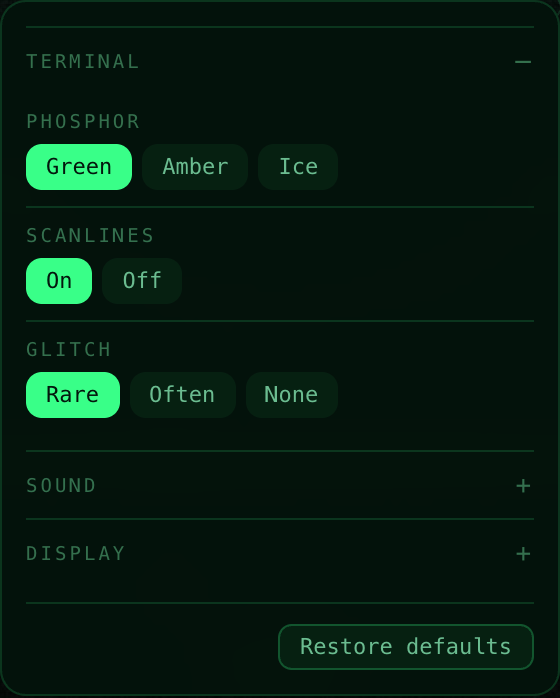
| Setting | Choices | Default |
|---|---|---|
| Phosphor | Green · Amber · Ice | Green |
| Scanlines | On · Off | On |
| Glitch | Rare · Often · None | Rare |
Two shared panels live in the same place for every skin. Sound picks the finish chime (or “match the skin”), sets the volume, and adds an optional tick for each of the last ten seconds. Display moves the countdown readout — bottom, top, centre, bottom-left or bottom-right — and recolours it: follow theme, warm white, white, gold, ice blue or coral.
Copy-paste links
| Classic green phosphor, 25 min | /?skin=code&t=1500 |
| Amber phosphor, glitchy, 15 min | /?skin=code&o=code:phosphor-amber.glitch-often&t=900 |
| Ice-blue, no scanlines, for recordings | /?skin=code&o=code:phosphor-ice.scan-off.glitch-none&t=600 |
| Standup slot, 5 minutes | /?skin=code&t=300 |
| …and start it running on open | append &s=1 to any link above |
The sound it makes
When the ring drains, the machine reports completion the way machines do: a brisk
four-note square-wave arpeggio, three answering blips, and a low triangle under it
all. Like everything in timer.cool, the sound is synthesized by the browser at the
moment it plays — no audio files, nothing to download. The Sound panel can swap in a
bell, digital beep, wood block or alarm, add a tick to each of the last ten seconds,
or you can mute with M.
On a projector or TV
On a demo-day projector the terminal skin reads as part of the setup, not an
interruption — set a 5-minute slot, press F, and the screen stays in
character while the room counts down. While a timer runs, the page holds a wake lock
so the display does not dim mid-demo.


The keyboard map: Space start/pause, F fullscreen, R
reset, M mute, +/− give or take a minute while
running, L repeat. Two honest limits: on an iPhone the ringer switch silences
web audio, and aggressive battery-saver modes can override the wake lock on some devices.
Who the terminal is for
Deep-work blocks
A 50-minute ring on the second monitor feels like instrumentation, not a nag — which is exactly why it gets left running.
Demos and standups
The five-minute slot, in character, on the projector. // TIME EXPIRED ends the demo politely.
Pairing sessions
Twenty minutes per pairing rotation; L repeats it without anyone touching the mouse.
Questions
What is the tick ring around the dial?
It is your session, sliced into 96 ticks lit clockwise from the top. As the countdown runs, the lit portion retreats toward twelve o'clock — when the ring is gone, the session is over.
What does the oscilloscope show?
A small waveform whose signal dies as time runs out — a quiet visual metaphor for the session running down. At zero the readout reports // TIME EXPIRED.
Can I change the phosphor colour?
Yes. Scene settings offers green, amber and ice-blue phosphors, plus scanline and glitch options: rare, often, or none.
Is the terminal timer free?
Yes. No account, no paywall, and nothing is uploaded — the screen is drawn by your own browser.
Does the timer stay accurate in a background tab?
Yes. The countdown is measured against the system clock rather than counted frame by frame, so the tick ring is still in the right place when you switch back.
What sound does it make at zero?
A brisk four-note square-wave arpeggio with answering blips — the software beep of a machine reporting completion. You can swap the chime or mute it in the Sound panel.