Rocket countdown timer
Bright sky, drifting clouds, and a fuel tank that drains — the countdown kids will actually sit and watch.
At a glance
| Best for | Kids' routines, tidy-up races, classroom transitions, workout intervals |
| Tunables | At-zero ending (liftoff / explode / fizzle), confetti amount, paint scheme, size, clouds |
| Finish sound | A toy xylophone run and a launch whoosh — synthesized, no audio files |
| Fullscreen | Press F once the timer is open — built for projectors and TVs |
| Direct link | timer.cool/timer/?skin=kids&t=300 opens it at 5 minutes |
Why the rocket counts down in fuel
The origin story of the rocket skin, from the people who drew it.
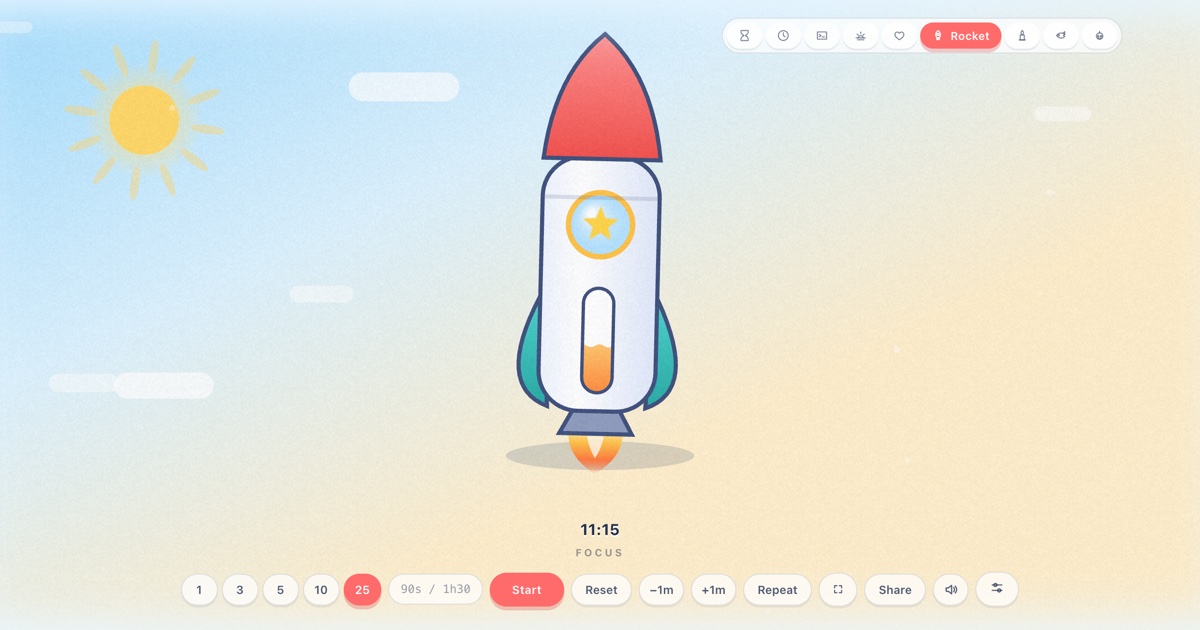
Every parent knows the oldest timer trick in the book — “race the clock!” — and its oldest weakness: a clock has no stakes. The rocket skin gives the countdown stakes a five-year-old can feel. The rocket sits in a bright day sky — cartoon sun, drifting clouds, a glitter of white motes rising like heat — and its fuselage carries a window onto a fuel tank. As the countdown runs, the tank visibly drains. When it hits empty, the rocket finally gets to do the thing it has been waiting to do. That is the deal: let the clock run out and the rocket flies.
The waiting has to feel alive, or kids look away. So the rocket bobs on a slow idle jiggle and rocks a few degrees either side of vertical; the clouds cross the sky at their own pace; the sun's rays rotate almost imperceptibly. The rocket itself is drawn like a toy from the good shelf: a cream-white body with shading down one side, a red nose cone, teal fins, and a porthole — all of it repainting itself in three schemes (Classic, Mint, Midnight) without losing the toy-shop character.
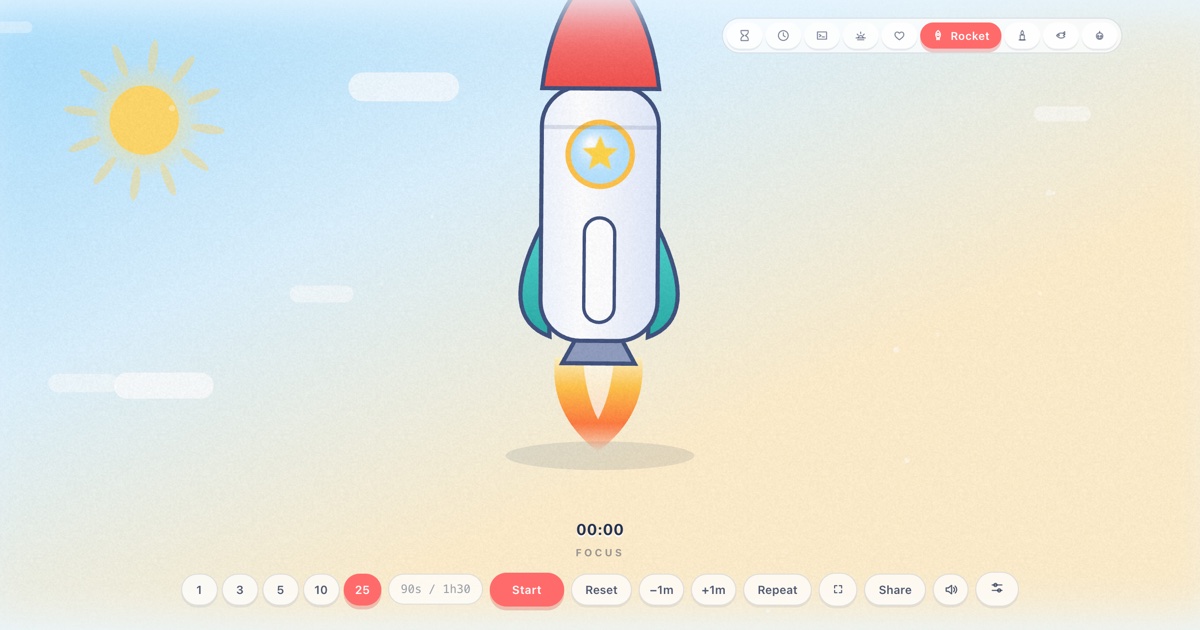
The ending was a genuine design argument, which is why there are three. Lift off is the reward ending: the engine lights, the rocket climbs away through the cloud layer and fades into the blue. Explode is the comic one — a shock ring, then tumbling star-shaped debris raining down; kids find this hilarious in a way adults reliably underestimate. Fizzle out is for sensitive sleepers and quiet rooms: the rocket simply settles, out of fuel, no drama. Same clock underneath; the family picks the temperament.
Confetti earned its own setting for the same reason: on a classroom projector, a storm of it is a party; in a small window on a laptop, standard is plenty. Everything else — clouds off for screens that will be screenshotted, rocket size for small tablets — exists because a timer that lives in a classroom gets more opinions than one that lives in a kitchen.
How the scene moves
- Idle. The rocket hovers on a gentle jiggle in the day sky, clouds drifting, fuel tank full.
- Running. The fuel gauge drains with the countdown while the sky keeps moving — clouds cross, motes rise, the rocket rocks gently on its pad of air.
- The last stretch. The tank is nearly dry. The rocket keeps jiggling as if nothing is wrong, which is exactly the tension the skin is built on.
- Zero. Your chosen ending plays — liftoff, explosion, or fizzle — with a xylophone run and a launch whoosh. The readout counts up
+mm:ssovertime until you reset.
Make it yours
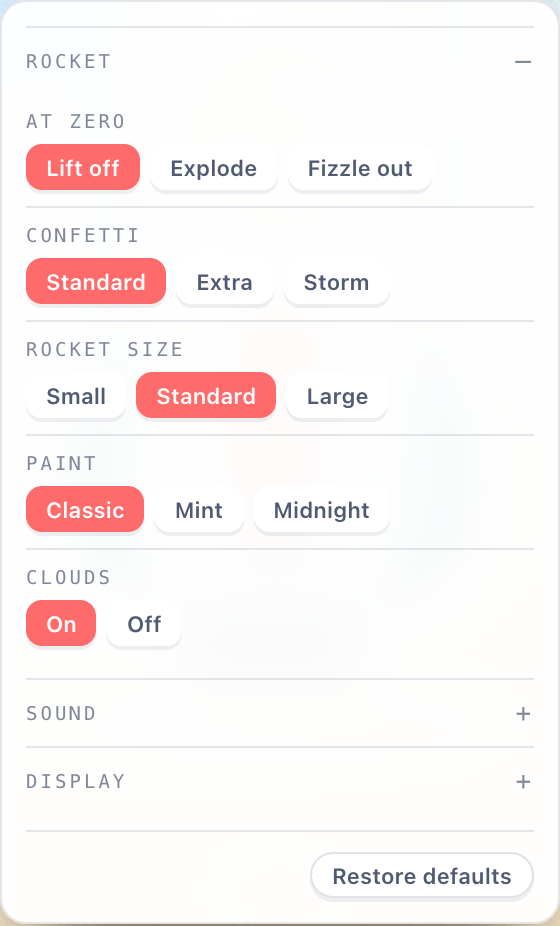
The sliders button in the bottom control row opens Scene settings. Choices are stored in your browser and survive reloads; nothing is sent anywhere.
| Setting | Choices | Default |
|---|---|---|
| At zero | Lift off · Explode · Fizzle out | Lift off |
| Confetti | Standard · Extra · Storm | Standard |
| Rocket size | Small · Standard · Large | Standard |
| Paint | Classic · Mint · Midnight | Classic |
| Clouds | On · Off | On |
Two shared panels live in the same place for every skin. Sound picks the finish chime (or “match the skin”), sets the volume, and adds an optional tick for each of the last ten seconds. Display moves the countdown readout — bottom, top, centre, bottom-left or bottom-right — and recolours it: follow theme, warm white, white, gold, ice blue or coral.
Copy-paste links
| Classic liftoff, 5 min | /?skin=kids&t=300 |
| One-minute explosion, confetti storm | /?skin=kids&o=kids:ending-explode.confetti-storm&t=60 |
| Mint paint, quiet fizzle ending, 10 min | /?skin=kids&o=kids:paint-mint.ending-fizzle&t=600 |
| Midnight rocket, no clouds, 45 s interval | /?skin=kids&o=kids:paint-midnight.clouds-off&t=45&r=1 |
| …and start it running on open | append &s=1 to any link above |
The sound it makes
Zero sounds like a toy reaching the good part: a xylophone run up six notes, a couple
of warm chords, and a rising launch whoosh layered over the top. Like everything in
timer.cool, the sound is synthesized by the browser at the moment it plays: no audio
files, nothing to download. The Sound panel can swap in a bell, digital beep, wood
block or alarm, add a tick to each of the last ten seconds, or you can mute with
M.
On a projector or TV
The rocket belongs on the classroom projector: a five-minute tidy-up race with the
whole room watching the tank drain beats any verbal countdown. Press F
and every control disappears. While a timer runs, the page holds a wake lock so the
display does not dim before liftoff.


The keyboard map: Space start/pause, F fullscreen, R
reset, M mute, +/− give or take a minute while
running, L repeat. Two honest limits: on an iPhone the ringer switch silences
web audio, and aggressive battery-saver modes can override the wake lock on some devices.
Who the rocket is for
Tidy-up races
“Down to the floor before the fuel runs out” converts a classroom of toys into a countdown worth beating.
Screen-time negotiations
Set the tank, let the rocket police it: when the fuel is gone, the ending everyone agreed on plays itself.
Workout intervals
Forty-five seconds on the pad, repeat on: L relights the countdown automatically between rounds.
Questions
How does the rocket show time left?
The rocket's fuel tank drains with the countdown, the way a fuel gauge works. When the tank is empty, the timer is over.
What happens at zero?
Three possible endings, chosen in scene settings: Liftoff (the rocket climbs away through the clouds), Explode (a shock ring and tumbling star debris), or Fizzle out (the rocket settles back, quietly out of fuel).
Can I change what the rocket looks like?
Yes. Scene settings offers three paint schemes — Classic (white with a red nose), Mint, and Midnight — plus rocket size and a clouds on/off toggle.
Is the rocket timer free?
Yes. No account, no paywall, and nothing is uploaded — the scene is drawn by your own browser.
Can I use it for workout intervals?
Yes. Turn on Repeat — the L key — and the timer flips over and starts the next round by itself each time the fuel empties. Share links can carry the setting with ?r=1.
What sound does it make at zero?
A toy xylophone run up the scale, then a launch whoosh rising over it. You can swap the chime or mute it in the Sound panel.